Download for Windows
Download BLBOL for Windows
The complete app with every feature, free for 30 days. One installer for Windows 10 and 11 with 30 UI languages.
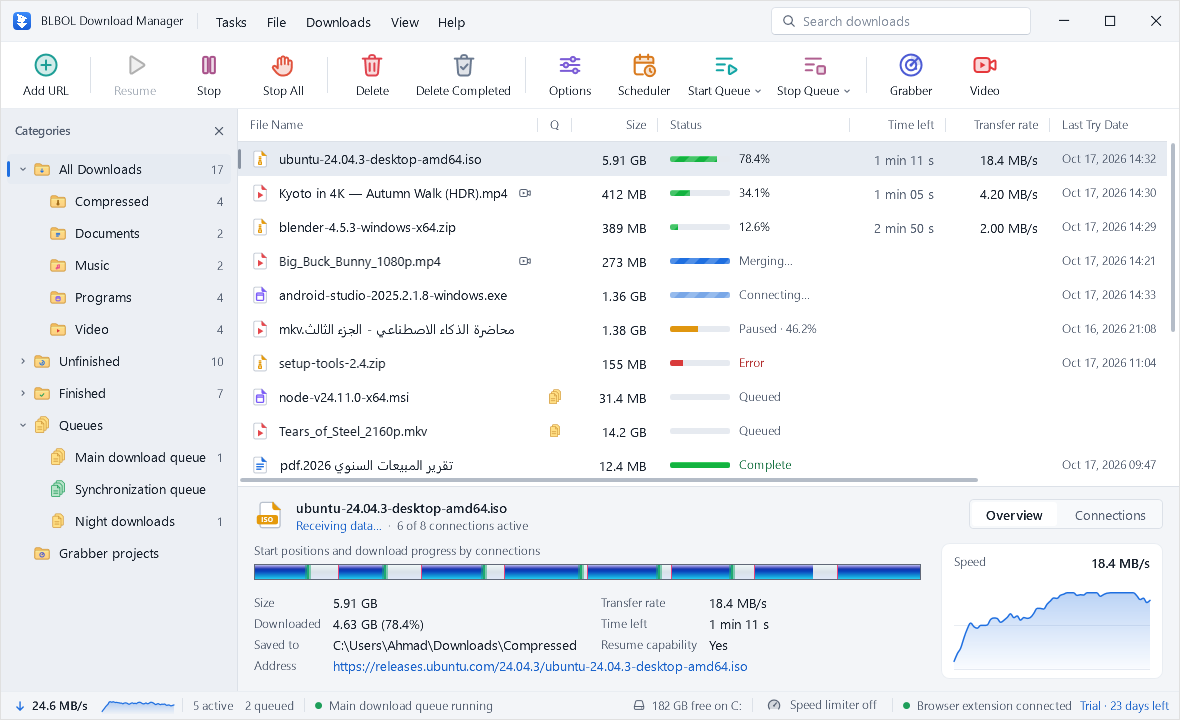
BLBOL Download Manager
Version 1.0.1 · Released October 17, 2026
BLBOL-Setup-x64.exe · 55 MB
SHA-256 checksum of BLBOL-Setup-x64.exe
dc36eb456469778c9a6983c72d09c71d4e2271c24e3f9b886b467b415cb846c1To check the file, open PowerShell in your Downloads folder, run this command and compare the result with the checksum above:
Get-FileHash .\BLBOL-Setup-x64.exe -Algorithm SHA256
The same installer with the version in its name: BLBOL-Setup-1.0.1-x64.exe
Getting started
Up and running in four steps
Download
Save the installer with the button above.
Run the installer
Open the file and follow the short setup wizard.
Add the browser extension
Install the BLBOL extension so downloads and videos go to BLBOL automatically.
Start downloading
Copy a link and press Ins in BLBOL: the address is filled in for you. Or click Download in your browser.
Browser extension
Add BLBOL to your browser
The extension is optional but recommended: it hands downloads to BLBOL and finds the videos on a page.
 Bundled extension (.zip)
Works in every Chromium browser today. Install it in developer mode with our step-by-step guide.
Download the .zipChrome Web Store
Coming soon. Until the listing is live, install the bundled extension.
Listing coming soon
Microsoft Edge Add-ons
Coming soon. Until the listing is live, install the bundled extension.
Listing coming soon
FAQ
Download questions
Is the download free?
The complete app is free for 30 days. Purchases and checkout are not available at launch; paid licence details will be announced later. After 30 days, starting new downloads requires a valid licence. Files already downloaded stay on your PC. Purchases are not available yet.
How do I know the file is genuine?
This installer is not code-signed. Windows may show an unknown-publisher or SmartScreen warning. Download only from blbol.net and compare the SHA-256 on the download page for file integrity; a matching hash is not a safety guarantee. Run it only if you trust the source. Do not disable Windows security or ignore an antivirus detection.
Can I keep another download manager installed?
Yes. If both browser extensions capture downloads, the same file may be offered to both apps, so turn off capture in the one you are not using.
How do I update BLBOL?
Download the latest installer from this page and run it over your current version. Your settings and download list are stored in your Windows profile and are kept.
How do I uninstall BLBOL?
Open Windows Settings, go to Apps, find BLBOL Download Manager and choose Uninstall. Files you downloaded stay where you saved them.